If you’ve ever stood in the back of a crowded café, struggled to load a work email, or watched a movie buffer mid-scene, you’ve probably asked yourself: could I just add another Wi-Fi access point (AP) to fix this? As someone who’s spent the last decade working in the indoor Wi-Fi infrastructure space—first as a field technician troubleshooting dead zones, now as part of a team supplying indoor APs for small businesses, multi-office campuses, and even retail chains—I get this question all the time. It’s not a simple yes or no, though. Adding an indoor Wi-Fi AP can expand coverage, but only when done right. Too many businesses treat it like plug and play, and that’s where the confusion starts. Let’s break down how it actually works, when it makes sense, and when it’s a waste of time. Indoor WiFi AP
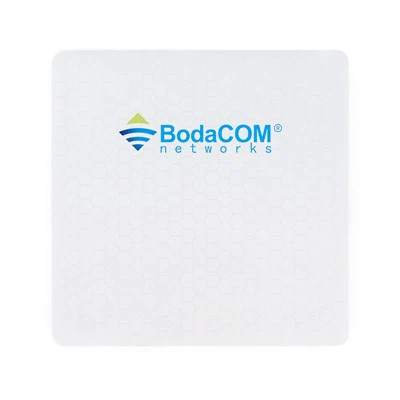
First, let’s ground this in how indoor Wi-Fi behaves in the real world. Unlike outdoor Wi-Fi, which uses mostly open space for signal propagation, indoor environments are full of obstacles that chew up radio waves. Drywall, concrete, metal beams, even large displays or stock shelves can block or reflect 2.4 GHz and 5 GHz signals differently. 2.4 GHz wavelengths are longer, so they penetrate walls better but are more prone to interference from microwaves, Bluetooth, and neighboring Wi-Fi networks. 5 GHz has a shorter wavelength, so it delivers faster speeds near the AP but degrades faster over distance and through obstacles. That’s why a single AP might work fine in a 1,000-square-foot home but leave a 5,000-square-foot warehouse with half its space with no usable signal.
Now, does adding another indoor AP actually increase coverage? The short answer: yes, if you avoid two common mistakes. The first mistake is placing the new AP too far from the existing one, or too far from the dead zone. I once worked with a small independent bookstore in Portland that added an AP to the back corner of its store, which was 80 feet from the main AP at the front desk. The store’s layout had a massive wall of bookshelves blocking most of the signal, so the new AP only reached a tiny section of the back, leaving a nook near the bathroom still offline. A quick site survey later, we found the sweet spot was halfway between the front desk and the back corner, with a clear line of sight to the dead zone. That small adjustment doubled the usable coverage without even cranking up the power to max levels.
The second big mistake is overlapping APs too much. Some techs crank up transmit power on both APs to “boost” coverage, but that causes co-channel interference. If two APs are on the same channel, a device in the overlapping range will spend more time negotiating which signal to connect to, instead of transferring data. It’s like trying to hold two phone calls at once from different people standing right next to each other—both calls get garbled. The rule of thumb for 5 GHz networks is to keep AP coverage overlap to around 15-20%: just enough so that a device can switch from one AP to another seamlessly, but not so much that signals fight. For 2.4 GHz, which has only three non-overlapping channels (1, 6, 11 in the US), you have to space APs far enough apart that they don’t use the same channel near each other. That’s a big reason why most modern indoor APs support dual-band, so you can use 5 GHz for high-speed devices and 2.4 GHz for IoT devices that need longer range.
But adding an indoor AP isn’t just about physical placement and spacing. It’s about capacity too. A lot of people mix up coverage and capacity, and that’s where the myth that “more APs automatically mean better coverage” comes from. If your main issue is that 30 customers all streaming Netflix or Zoom calls on the same single AP, adding another AP won’t just expand coverage—it will improve speed for everyone. I worked with a coworking space in Austin that had 20 desks, and their single AP would drop every time three people joined a Zoom call. We added two indoor APs around the perimeter, spaced 40 feet apart, and suddenly they could host 12 people on Zoom without a single disconnect. The back of the space, which was once a dead zone, now worked too. That’s the sweet spot: when you’re solving both coverage gaps and capacity limits.
When does adding an indoor AP not increase coverage? Let’s talk about those cases. If you have a space smaller than 1,500 square feet with no major obstacles, a single high-quality AP will cover it completely. Adding another won’t do much—if anything, it might cause interference. I had a small café in Seattle that added an extra AP just because they thought it would “boost” signal, but they placed it too close to the main one, leading to frequent drops for their customers. We ended up removing the extra AP and adjusting the main one’s placement near the kitchen wall, which fixed their signal issues for a fraction of the cost.
Another case where adding an AP won’t help: if your dead zone is caused by an external factor, not your own Wi-Fi. If your neighbor has a strong AP on the same channel and it’s blocking your signal, swapping your AP’s channel (a setting most people don’t even know to adjust) will fix the dead zone before you even need to add another device. A quick tip for any business: do a quick Wi-Fi site survey every 6-12 months, because neighboring networks change all the time. A new office next door might add an AP that’s now interfering with yours, so your old channel setting is suddenly obsolete.
As someone who supplies indoor APs, I’ll be honest: we don’t just ship devices to every business that calls us. We start with a consultation, because 9 times out of 10, the right first step is a site survey, not an AP. For example, a retail store in Denver once called us because their stock room had no Wi-Fi for their handheld scanners. We sent a technician out to measure the space, and found the dead zone was 60 feet from their main AP, with two concrete walls blocking the signal. Instead of adding a full-size indoor AP, we recommended a compact, wall-mount AP designed for tight spaces, which cost half as much and covered exactly the area they needed. That’s the value of working with a supplier that doesn’t just sell hardware—they understand how to match the AP to the space.
Let’s also talk about long-term gains. A lot of businesses are worried about the cost of adding multiple APs, but the return on investment is real. For a restaurant with 50 seats, reliable Wi-Fi means customers stay longer, order more, and leave better reviews. For a warehouse, good Wi-Fi for scanners means faster order picking, fewer mistakes, and lower labor costs. For an office, seamless Wi-Fi means less time wasted troubleshooting connectivity, more time on actual work. I recently worked with a manufacturing client in Ohio that added four indoor APs across their 10,000-square-foot facility. Before that, their maintenance team had to walk across the entire plant to access their work orders, which took an hour a day. After the upgrade, they could pull up work orders on their tablets from any spot on the floor, cutting that time to 10 minutes a day and saving the company over $10,000 a month in labor costs. That’s not just better coverage—that’s a direct business impact.
Of course, no solution is perfect. If you have a space with multiple floors, high ceilings, or thick concrete foundations, you might need to pair indoor APs with other tools, like ceiling-mounted antennas or signal boosters. But even in those cases, adding properly placed indoor APs is almost always part of the solution. The key mistake we see businesses make is treating Wi-Fi as a set-it-and-forget-it technology. APs don’t last forever, either—most indoor APs need to be replaced every 5-7 years, as devices become more powerful and new Wi-Fi standards (like Wi-Fi 6 or Wi-Fi 6E) come out. Upgrading your APs isn’t just about getting faster speeds—it’s about ensuring your coverage keeps up with new devices, from smartphones to tablets to IoT sensors.
So, back to the original question: Does an indoor Wi-Fi AP increase Wi-Fi coverage? The answer is: when it’s the right device, placed in the right spot, on the right channel, it absolutely can. But it’s not a numbers game—more APs aren’t always better. The best deployments are the ones that balance coverage, capacity, and your specific space needs. If you’re dealing with dead zones, slow speeds, or frequent drops, the first step isn’t to order an AP—it’s to get a professional assessment of your space and current Wi-Fi setup.

If you’re a business owner, facility manager, or IT lead looking to improve your indoor Wi-Fi coverage, we’re here to help. We’ve worked with small cafes, multi-location retail chains, and industrial warehouses to design and deploy Wi-Fi solutions that actually work for your space, no guesswork, no unnecessary hardware, and no interference headaches. Reach out to our team for a consultation to talk through your coverage gaps and get a plan tailored to your needs.
Explosion Proof Wireless Bridge References
- “Wi-Fi Coverage Optimization: A Practical Guide” – IEEE Computer Society, 2022
- Indoor Radio Propagation Models for Small to Medium Enterprise Environments – Journal of Wireless Communications and Networking, 2021
- Wi-Fi 6 and 6E Deployment for Dense Indoor Environments – Cisco Systems Technical Whitepaper, 2023
- Co-Channel Interference Mitigation in Dual-Band Wi-Fi Networks – Wireless Communications Letters, 2020
Jinan Bodaxun Communication Technology Co., Ltd.
With abundant experience, we are one of the most professional indoor wifi ap manufacturers and suppliers in China. Please rest assured to buy high quality indoor wifi ap for sale here from our factory. For price consultation, contact us.
Address: 4-501, Future Smart Manufacturing Center, China Computing Valley, Liandong U Valley, High-tech Zone, Jinan City, Shandong Province
E-mail: lmj@bodacomwlan.com
WebSite: https://www.bodacomwlan.com/
