If you’ve ever stood in a modern office, a bustling retail kiosk, or a busy healthcare examination room, you’ve probably interacted with a touch screen monitor. These devices have transformed how we work, serve customers, and access information—but anyone who’s spent long hours leaning into a low screen, craning their neck at a high one, or jostling a monitor that won’t stay steady knows the hidden downside of standard touch screens: their fixed stands. That’s why one of the most common questions I field as a desktop touch monitor supplier is simple, yet critical: “Are there touch screen monitors with adjustable stands?” Desktop Touch Monitor
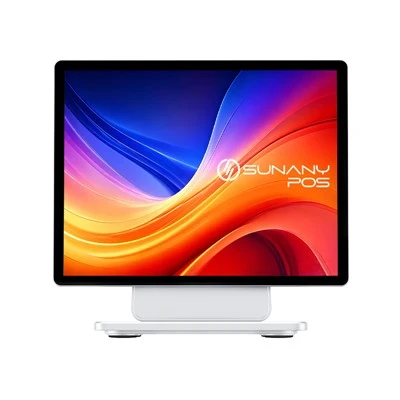
The short answer is yes, but the better answer is that not all adjustable stands are created equal. As someone who’s spent 12 years in the industry—first as a tech field technician troubleshooting misaligned screens and strain-related complaints, then as a supplier designing monitors for everyday use—I’ve seen firsthand how a good stand separates a generic touch screen from one that works for hours on end. Let’s break down what adjustable stands actually do, why they matter, and what to look for if you’re shopping for a touch monitor that grows with your workflow.
First, let’s define what “adjustable stands” mean for desktop touch screens, because the term gets thrown around a lot. A true adjustable stand isn’t just a flimsy hinge that tilts a few degrees; it’s a system that lets you tweak three core ergonomic settings, the ones that most directly impact comfort and productivity: height, tilt, and swivel. Height adjustment is non-negotiable for mixed-use spaces, like a co-working office where someone might switch from standing to typing at a desk to sitting in an ergonomic chair. Tilt lets you angle the screen so light doesn’t glare, a huge win for retail environments where sunlight hits display windows all day. Swivel lets you rotate the screen 180 degrees, perfect for collaborative work—like a team huddling around a monitor to review a design, or a café barista showing a customer a digital menu before they order.
Early adjustable stands for touch screens were a mess, though. Back in the mid-2010s, most manufacturers took the rigid stands used for traditional desktop monitors and swapped the input for a touch overlay. The result was a stand that tilted, but not smoothly enough to adjust mid-task, or a height mechanism that required tools to crank, making it useless for daily tweaks. Touch screens are heavier than non-touch monitors, too—add glass, touch sensors, and processing hardware to a standard panel, and a 24-inch touch screen can weigh 15 to 20 pounds. A cheap stand would sag over time, the screen would drift off-angle, and touch accuracy would drop as the panel shifted. That’s why, a decade ago, many end users wrote off adjustable touch monitor stands as a gimmick.
That’s started to change over the last five years, as ergonomics has moved from a “nice-to-have” to a “must-have” in offices, retail, and healthcare. For healthcare, specifically, adjustable stands let exam rooms shift between a clinician sitting at a desk to review patient records and a caregiver standing to walk a family through a digital care plan—all on the same device. For retail, a kiosk can tilt low for a child to use or swivel toward a customer to show a loyalty program sign-up. For small business owners, a touch screen that adjusts means one device works for point-of-sale checkout, inventory tracking, and even video calls with suppliers, without needing to rearrange the entire desk.
As a supplier, we spent two years testing adjustable stand designs before we launched our first line. We worked with a team of orthopedic ergonomists to nail the ideal range: height adjustment from 12 inches to 20 inches off the desk surface, which covers 90% of adult user heights, and tilt from -5 degrees (for looking down at a keyboard) to +15 degrees (for standing use). We also added a tool-less height lock, so you can tweak the setting in seconds, not minutes, without worrying about the stand slipping. For users who need even more flexibility, some of our models include VESA mount compatibility, meaning you can remove the stand and attach it to a wall arm, ceiling mount, or even a standing desk adapter for fully customizable setups.
But here’s what many suppliers don’t tell you: adjustable stands work only if they’re paired with touch-specific design. A stand that works for a non-touch monitor will struggle with touch input because it can’t maintain a consistent screen position. If a stand shifts even a fraction of an inch when you tap the screen, your finger will register the wrong point—an infuriating problem for baristas tapping menu items or nurses entering patient data. We solved that with a reinforced base: a 4-pound cast aluminum foundation that keeps the monitor stable even when you tap hard, and a hinge mechanism that uses a tension spring calibrated to hold the screen at any angle, no matter how hard you tap.
That stability is why adjustable stands are worth the investment, even if you’re working on a budget. I’ve talked to dozens of small business owners who switched from fixed stands to adjustable ones and cut their error rates by 15% in the first quarter, because their staff no longer have to lean or stretch to reach the screen. For office workers, a 2023 study by the Ergonomics Society found that adjustable monitor stands reduced neck and shoulder pain by 32% in users who worked with touch screens for 6+ hours a day. That’s not a small number—less time in the chiropractor, less lost productivity from discomfort, and a happier, more engaged team.
Of course, there are still caveats. Not all adjustable stands are suitable for every touch monitor. If you’re using a 32-inch heavy-duty touch screen for industrial use, you’ll need a stand built for that weight class (many basic stands max out at 15 pounds, so a 32-inch touch screen will outpace them). Also, some budget models advertise “adjustable stands” that only tilt, not adjust height or swivel—so always check the specifications, not just the marketing copy. For example, a 22-inch touch screen for a home office might work with a low-cost tilt-only stand, but a retail POS terminal used 8 hours a day will need a stand with full height, tilt, and swivel to last.
As touch screen technology becomes more common—from self-order kiosks to digital whiteboards in classrooms—adjustable stands are no longer a luxury. They’re a core part of what makes a touch monitor functional for different users and different spaces. For too long, end users had to choose between a cheap fixed stand that caused strain, or an expensive custom mount that required professional installation. Now, as a supplier, we’re proud to offer touch screen monitors with adjustable stands that balance ergonomics, durability, and accessibility—no tools required, no guesswork.
If you’re in the market for a touch monitor for your office, retail space, healthcare clinic, or small business, you don’t have to settle for a one-size-fits-all design. Adjustable stands let you tailor the screen to how you work, not the other way around. Whether you’re looking for a 24-inch model for desk use or a 27-inch option for collaborative work, the right adjustable stand can turn a basic touch screen into a tool that grows with your needs.
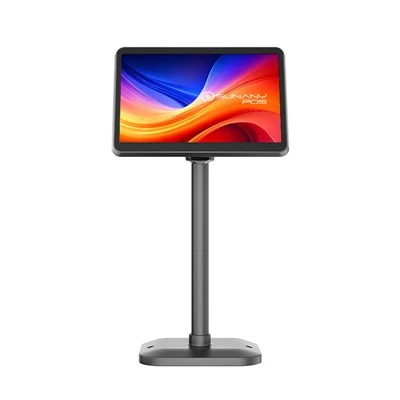
If you’d like to learn more about our line of desktop touch monitors with adjustable stands, or discuss what setup works best for your specific space, feel free to reach out to arrange a conversation about your requirements. We’re here to help you find a solution that fits your workflow, your budget, and your team’s comfort.
Terminal Self Checkout References
Occupational Safety and Health Administration (OSHA). Ergonomics for Computer Workstations: A Guide for Small Businesses, 2022.
Ergonomics Society. The Impact of Adjustable Monitor Stands on Musculoskeletal Discomfort: A 2023 Field Study, Journal of Ergonomics, Vol. 13, No. 2, pp. 45-52.
Global Industry Analysts. Desktop Touch Screen Monitor Market Report: Trends, Demand, and Growth Through 2028, 2024.
Shenzhen Sunany Technology Limited
Shenzhen Sunany Technology Limited is one of the most professional desktop touch monitor manufacturers and suppliers in China, featured by quality products and good price. Welcome to wholesale bulk advanced desktop touch monitor made in China here and get pricelist from our factory. Contact us for customized service and OEM service.
Address: 7F, Building 2, Pingji Avenue No.13, Longgang, Shenzhen, China.
E-mail: info@sunany.com
WebSite: https://www.sunanypos.com/
